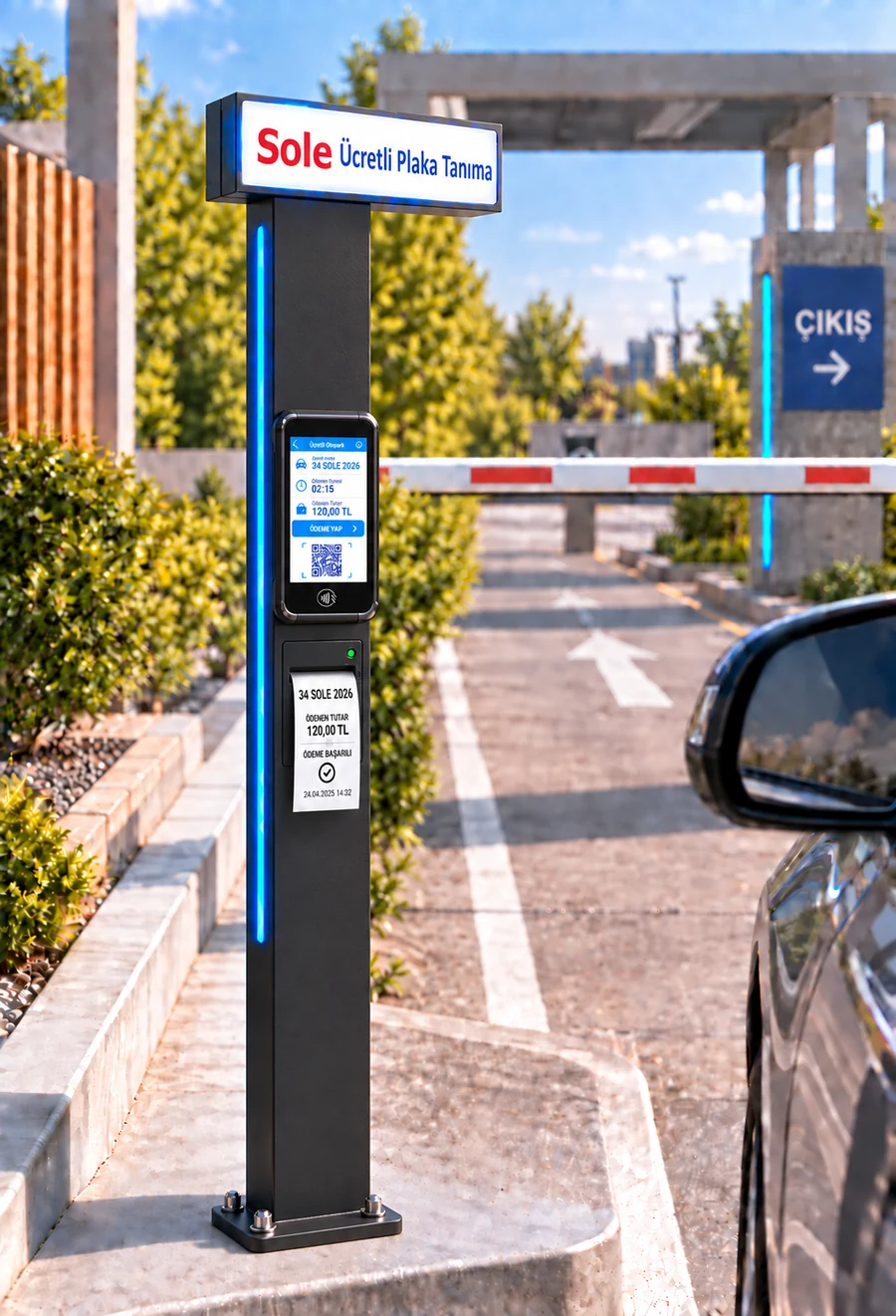
Direct answer: Parking POS integration is a setup in which the parking fee is calculated in the software and the amount is passed to a new-generation fiscal POS device (ÖKC) without being typed in, while payment approval is tied directly to the vehicle's exit grant. It reduces the risk of wrong amounts, unrecorded payments and exits without payment; every collection is reported matched to its parking session.
How does POS integration work?
- The fee is calculated: the software applies the tariff of the vehicle's fee class to the duration, on the server.
- The amount is sent to the device: the amount and the tariff's VAT group code go to the POS device; no one types the amount.
- The driver pays: taps a credit or debit card, or scans the QR code with a phone.
- The fiscal receipt is issued: approval and the fiscal receipt are produced by the fiscal POS device.
- Approval returns to the software: the transaction is recorded with a unique order number; a status check guards against charging the same payment twice.
- The exit grant is created: a single-use exit grant is issued for the session; the barrier opens when the exit camera reads the plate.
Where is it used?
| Payment point | POS connection | QR | Cash |
|---|---|---|---|
| Smart KIOSK | Integrated contactless POS | Yes | No |
| Android exit payment terminal | Integrated POS, without leaving the car | Yes | No |
| Android handheld terminal | Attendant's device | — | Yes |
| Booth PC | Booth with POS device | — | Yes (change calculation) |
How are the fiscal receipt and VAT handled?
The fiscal receipt is issued by the integrated fiscal POS device (ÖKC); the parking software does not connect to the Revenue Administration (GİB) directly. A VAT group code is set per tariff and passed to the device at payment. The document lookup link provided by the device can be shown as a QR code on the kiosk screen. We recommend consulting your accountant on your facility's fiscal obligations.
Reconciliation and control
- The POS Transaction Reconciliation report compares software records with POS transactions.
- The Credit Card Payments report lists card collections by channel and date.
- The Payment Recovery report tracks transactions whose outcome was not settled between the device and the software.
- The Offline Payments report shows payments recorded during a connection outage separately.
- At the booth, a numbered Z report is produced when a cash shift closes; per-cashier breakdowns are available.
Can I use my existing POS device?
Integration with automatic amount transfer works with supported fiscal POS devices. Your existing device is checked during the survey. A device that is not integrated can still be used at the booth; the cashier then enters the amount on the device and marks the card collection in the software.
Frequently asked questions
What is parking POS integration?
An integrated collection setup in which the fee calculated in the software is passed automatically to a fiscal POS device and payment approval is tied to the vehicle's exit grant.
Is the amount typed into the POS device?
No. At kiosks and exit terminals the amount is passed from the software to the device; the driver only taps a card or scans the QR code.
Who issues the fiscal receipt?
The integrated fiscal POS device. The software passes the amount and the tariff's VAT group code to the device and does not connect to GİB directly.
Can payment be taken by QR code?
Yes. At the kiosk and exit terminal the QR code shown by the POS device is scanned with a phone; the transaction is recorded like a card payment.
Can the same payment be charged twice?
Each transaction is tracked with a unique order number and its status is checked; this is designed to prevent the same payment being charged again.
Which reports are used for reconciliation?
POS Transaction Reconciliation, Credit Card Payments, Payment Recovery and Offline Payments; at the booth also the numbered Z report.
Last updated: September 24, 2026 · Features: Sole LPR and paid parking software
Get a free survey and quote →