
Direct answer: A parking kiosk payment system is a self-service payment point that lets the driver of a vehicle recognized by license plate at entry pay the exit fee themselves — by credit/debit card or QR code — by entering their plate on the touchscreen. It removes the need for permanent booth staff.
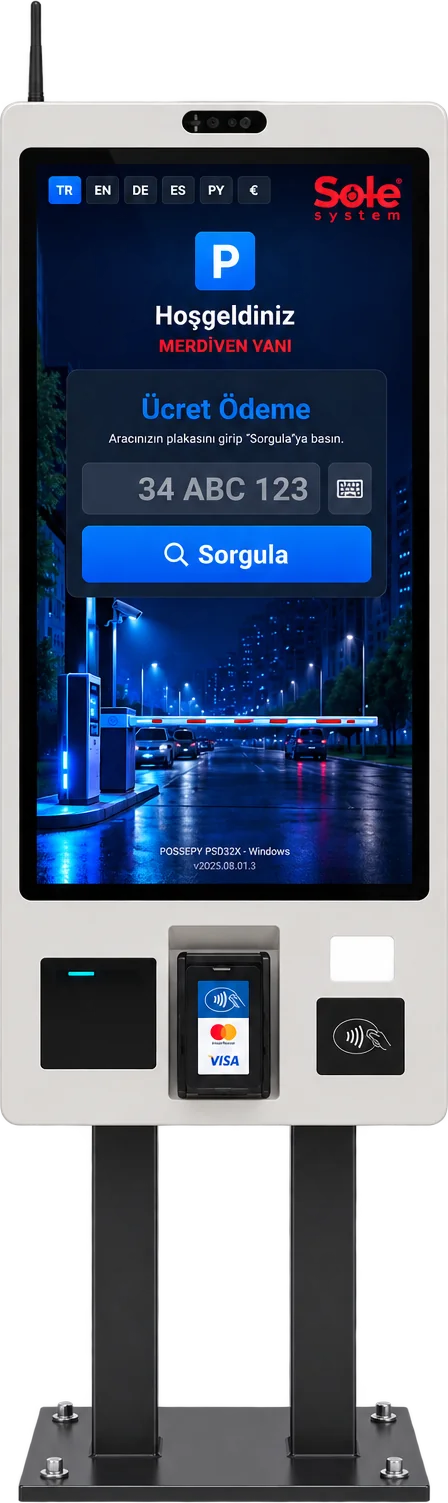
SOLEsys Smart KIOSK
A next-generation smart parking kiosk that looks up the fee by plate, shows the entry photo, vehicle details, past debt and service breakdown and prints a receipt.
Product details →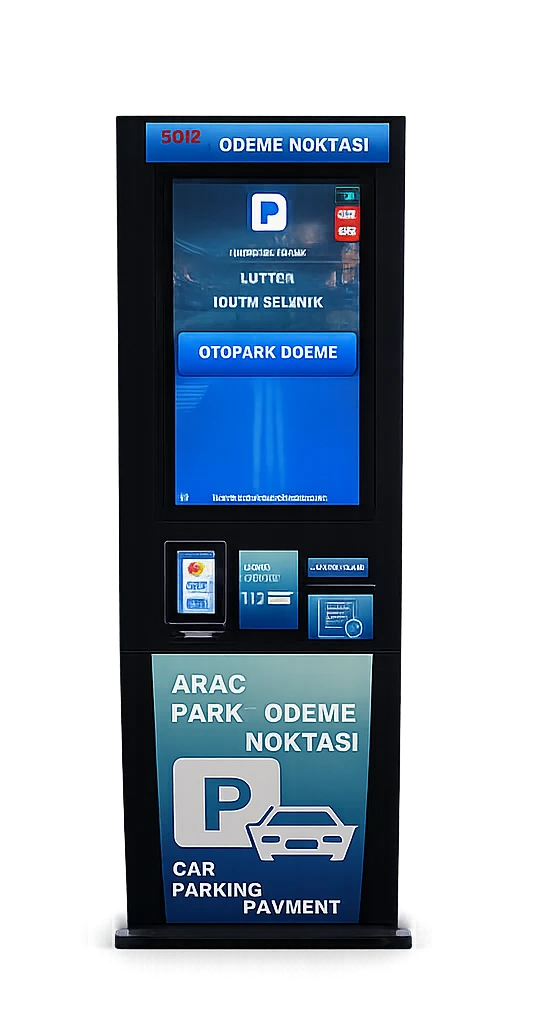
SOLEsys Middle KİOSK
An automatic kiosk payment point with a 22-inch touchscreen where vehicles recognized by license plate at paid parking lots pay by credit card before exiting.
Product details →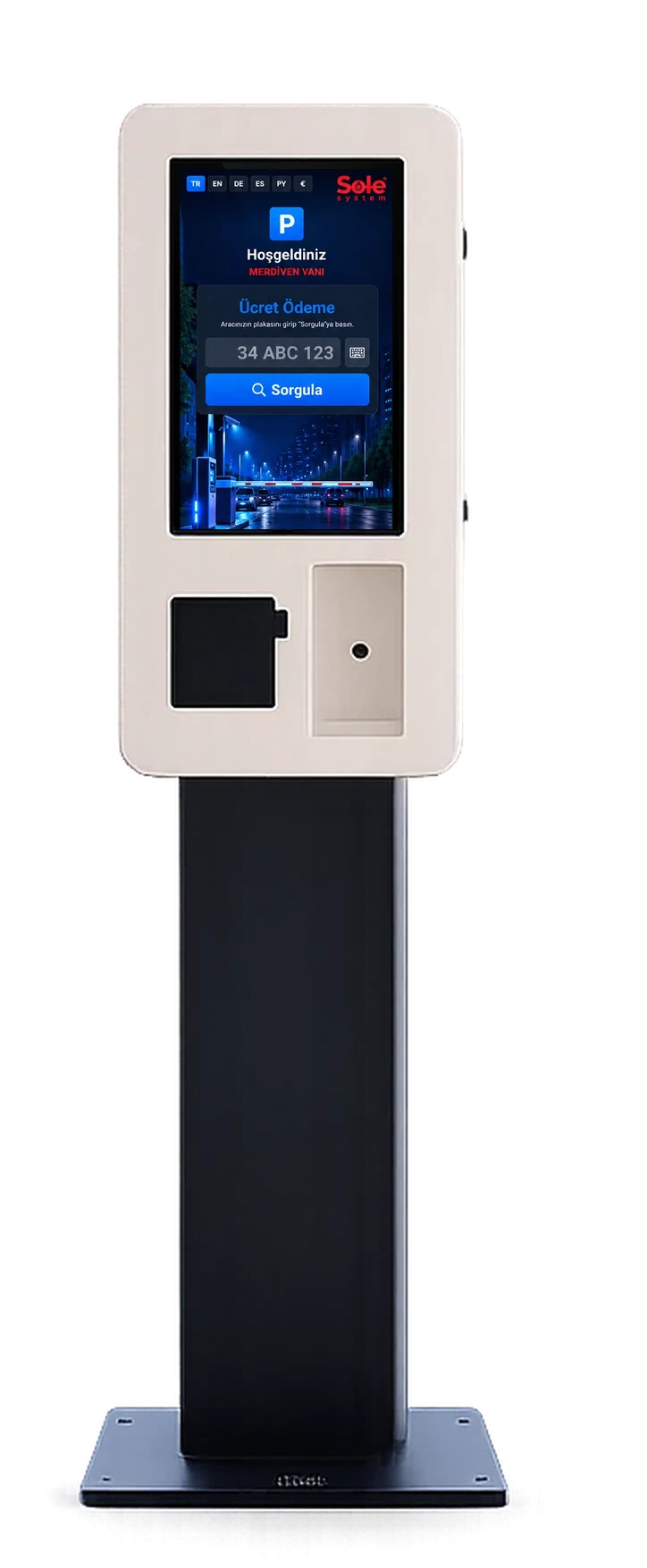
SOLEsys Small KİOSK
A compact kiosk payment point with a 24-inch touchscreen where vehicles recognized by license plate at paid parking lots pay by credit card at exit.
Product details →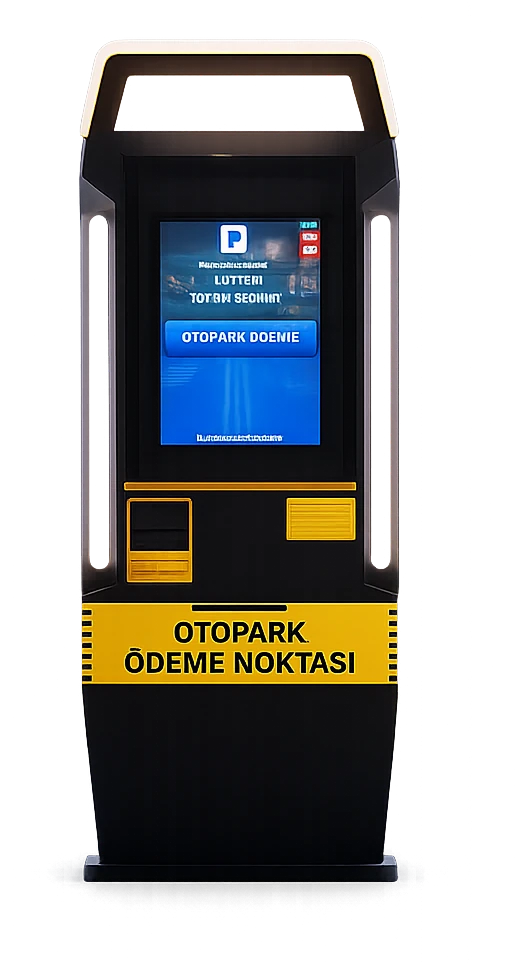
SOLEsys Grand KİOSK
A large-body automatic kiosk payment point with an industrial computer, where vehicles recognized by license plate at paid parking lots pay by card or QR code before exiting.
Product details →Key features of the kiosk software
The features below are part of the kiosk module of the Sole paid parking software:
QR payment
In addition to contactless credit/debit cards, payment can be taken by scanning a QR code.
Screen in 6 languages
Turkish, English, German, Spanish, Russian and Arabic; the screen switches to right-to-left in Arabic.
Subscription renewal at the kiosk
Monthly paid subscribers renew and pay at the kiosk without going to a booth.
Live transaction monitoring
Kiosk transactions and errors (plate not found, printer error, etc.) appear in a list refreshed every few seconds in the panel.
Self-updating site software
The site software is updated from the central panel with version integrity checks; if something goes wrong it rolls back.
Offline connection alert
Optional: if the site PC loses its connection, the manager is notified by email.
Android support
The kiosk software runs on Android-based touch devices as well as Windows industrial PCs.
Summary
| Payment Collection Devices Supported | Smart KIOSK, Android Exit Payment Terminal, Android Handheld Terminal, Booth PC with POS Device |
|---|---|
| Payment Methods Supported | Credit Card, Debit Card, QR Payment |
Technical comparison of kiosk models
| Feature | Smart KIOSK | Small KIOSK | Middle KIOSK | Grand KIOSK |
|---|---|---|---|---|
| Screen | 32" portrait, 1920×1080 | 24" touchscreen | 22" touchscreen | 22" touchscreen |
| Payment | Contactless card + QR | Credit/debit card | Credit/debit card | Contactless card + QR |
| Printer | 3-inch thermal receipt | Kiosk receipt printer | Kiosk receipt printer | Kiosk receipt printer |
| Computer | Industrial PC or Android | — | Industrial PC | Industrial PC |
| Connectivity | Ethernet + Wi-Fi, opt. 4G | Ethernet | Ethernet | Ethernet |
| Extra readers | NFC, QR reader | — | — | — |
| Cash | No | No | No | No |
| Body | Free-standing portrait | Compact | Mid-size | Large body |
The kiosk is the payment point of an unmanned paid parking system in which plate recognition, payment, barriers and reporting work together.
How does a kiosk payment system work?
The vehicle is automatically logged by the license plate recognition camera at entry, and a duration counter starts. Before leaving the parking lot, the driver enters their plate on the kiosk screen; the system calculates the amount due based on the rate table defined in the software and displays it on screen. Payment is taken by credit/debit card or QR code, a receipt is printed, and the exit barrier opens.
Which kiosk suits which parking lot?
The Smart KIOSK suits sites that want to use every software feature — entry photo, debt and service breakdown — and serve multilingual visitors; The Small KİOSK is recommended for lots that will only take credit card payment and have limited space at the exit point; the Middle KİOSK, with its industrial computer, suits lots that run intensively all day; and the large-body Grand KİOSK is recommended for the busiest exit points. Kiosks do not accept cash; a booth or handheld terminal is planned alongside for drivers who want to pay cash.
Integration with license plate recognition and barriers
The kiosk connects to the same network as the license plate recognition software, cameras and barrier relay card, communicating over TCP/IP. Because entry logging, the rate table, payment collection and exit authorization are all managed through a single system, the exit barrier opens automatically as soon as payment is completed. See our parking license plate recognition system and barrier integration pages for details.
Installation and operation
The kiosk is positioned somewhere the driver can reach without getting out of the vehicle or can easily walk up to, sheltered from weather conditions. Power and network connections are supplied through the cabinet/panel. In operation, periodic checks of printer paper, and the card reader are sufficient. The exact model and location are finalized after a site survey.
Frequently asked questions
How does a kiosk payment system work?
The vehicle is logged by license plate recognition at entry; before leaving, the driver enters their plate on the kiosk screen, and the system calculates and displays the amount due based on the rate table. Once payment is received, a receipt is printed and the exit barrier opens.
Can cash payment be made at the kiosk?
No. All kiosk models take payment by contactless credit/debit card or QR code. Drivers who want to pay cash use the booth or the attendant's handheld terminal.
Does a kiosk eliminate the need for booth staff?
Because the kiosk lets the driver make the exit payment themselves, it removes or significantly reduces the need for permanent booth staff.
Can drivers pay with a QR code at the kiosk?
Yes. At the kiosk and exit terminal, payment can be taken by scanning a QR code in addition to contactless credit/debit cards.
Does the kiosk software run on Android devices?
Yes. The kiosk and exit terminal software runs on Android-based touch devices as well as Windows industrial PCs; the site software is updated remotely from the central panel.
How many kiosks does a car park need?
The number depends on exits at peak hour, payment time and pedestrian flow. For small car parks with one entry and one exit, one kiosk or one exit terminal is usually enough; where there are several pedestrian exits we recommend a kiosk at each main pedestrian point.
What happens if the kiosk breaks down?
Kiosk errors appear on the live monitoring list in the panel. If the car park also has an exit terminal, booth or handheld terminal, payment continues through those channels; a vehicle that cannot pay can be recorded as debt and charged on its next visit.
Can a kiosk be added to an existing barrier system?
The kiosk does not connect to the barrier directly; it sends the payment to the software, and the barrier is opened by the exit camera and site PC. It is enough that the barrier can be controlled by a relay.
Last updated: September 24, 2026 · Technical data: Sole System product catalog
Get a free site survey and quote →