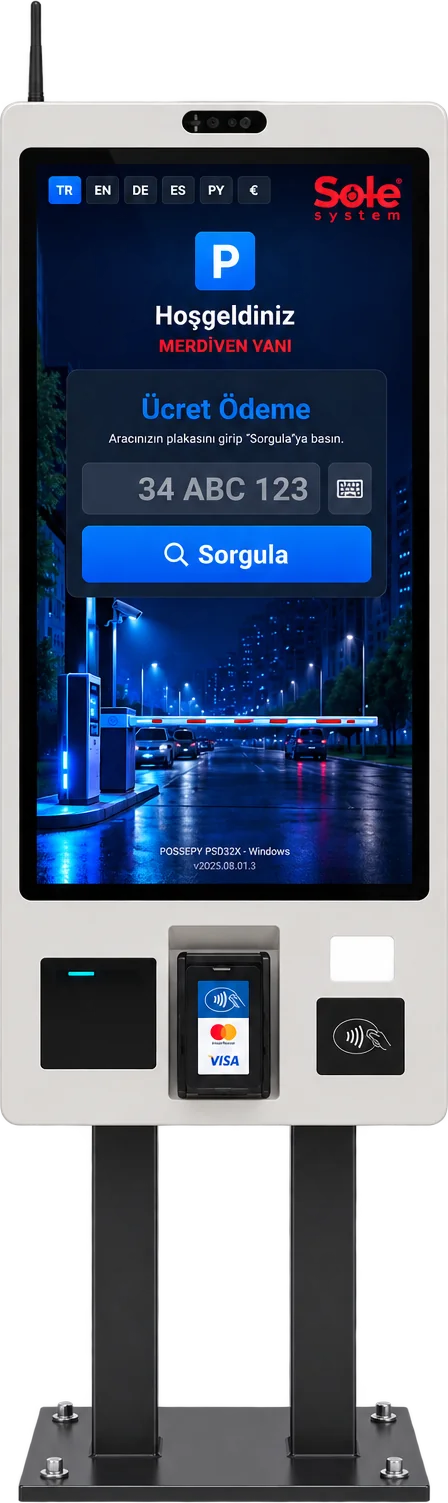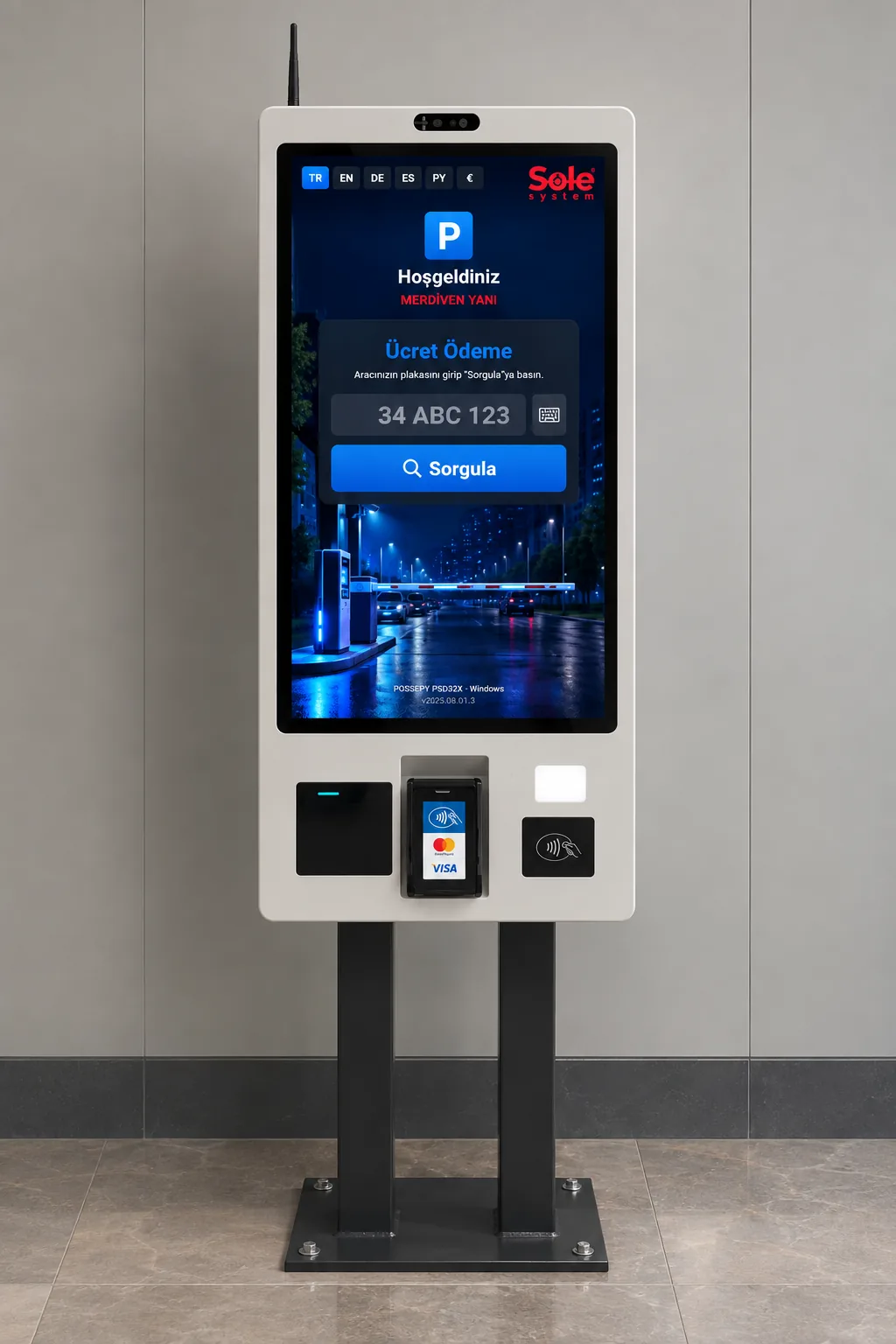
Direct answer: The SOLEsys Smart KIOSK is a self-service payment point for paid parking facilities: the driver enters their plate on a 32-inch portrait touchscreen, the exit fee for the vehicle recognized at entry is looked up on the server and collected by contactless credit/debit card or by scanning a QR code. The screen shows the entry photo, vehicle type/colour/make, any past debt and service items separately; after payment a receipt is printed and the remaining exit time counts down.
Technical specifications
| Payment Methods Supported | Credit Card, Debit Card, QR Payment |
|---|---|
| Payment Collection Devices Supported | Smart KIOSK, Android Exit Payment Terminal, Android Handheld Terminal, Booth PC with POS Device |
| Screen | 32" portrait use, 1920×1080 Full HD, brightness ≥300 cd/m² |
| Touch | 10-point capacitive (PCAP), tempered protective glass |
| Hardware platform | Windows (industrial PC) or Android; the software supports both |
| Payment | Integrated contactless credit/debit card POS terminal — the amount is passed from the kiosk screen to the terminal; payment by scanning a QR code |
| Printer | 3-inch thermal receipt printer (receipt header/footer set from the panel) |
| Extra peripherals | QR reader (QR payment); NFC reader and front camera slots enabled per project |
| Connectivity | Gigabit Ethernet + Wi-Fi, optional 4G |
| Languages | Turkish, English, German, Spanish, Russian, Arabic (right-to-left) |
| Cash | No (cash is collected at the booth or on a handheld terminal) |
What does the kiosk software include?
The features below run today on the kiosk screen of the Sole license plate recognition software:
Fee lookup by plate
The plate is typed on the on-screen keyboard; the fee is calculated on the server from the tariff, never on the device.
Entry photo and vehicle details
The photo taken at entry is shown with vehicle type, colour and make logo, so the driver is sure they are paying for the right car.
Vehicle type correction
If the camera misclassified the vehicle, the driver picks the correct type and the amount is recalculated on the server.
Debt and service breakdown
Past open debt and services such as car washing are listed line by line and collected in a single payment.
Subscribers and free exit
Subscriber vehicles are shown with a badge; if the amount is zero, the payment step is skipped.
Exit time countdown
After payment, the remaining time to exit is shown second by second.
6 languages
TR, EN, DE, ES, RU and Arabic; the screen switches to right-to-left in Arabic.
24/7 stability
Self-closing screens, nightly automatic refresh and central error logging keep it running unattended.
QR payment
In addition to contactless credit/debit cards, payment can be taken by scanning a QR code.
Subscription renewal at the kiosk
Monthly paid subscribers renew and pay at the kiosk without going to a booth.
Live transaction monitoring
Kiosk transactions and errors (plate not found, printer error, etc.) appear in a list refreshed every few seconds in the panel.
Self-updating site software
The site software is updated from the central panel with version integrity checks; if something goes wrong it rolls back.
Offline connection alert
Optional: if the site PC loses its connection, the manager is notified by email.
Android support
The kiosk software runs on Android-based touch devices as well as Windows industrial PCs.
How does it work?
- The vehicle is logged by the license plate recognition camera at entry and a duration counter starts.
- The driver enters their plate on the kiosk and taps "Search".
- The screen shows the entry photo, entry time, duration, vehicle details and the amount due (with any debt and service items).
- The driver moves to the payment step and taps their card on the kiosk's contactless terminal or scans a QR code.
- Once approved, a receipt is printed, the remaining exit time is shown and the exit barrier recognizes the vehicle and opens.
Where is it used?
In paid parking facilities with many first-time visitors where no booth attendant is wanted — shopping malls, hospitals, hotels, business centres and city car parks — and especially where subscriptions, debt collection or extra services such as car washing are also charged.
Our assessment
Our assessment: the SOLEsys Smart KIOSK uses the software's capabilities most completely within our kiosk family. Its large portrait screen shows the entry photo and fee breakdown clearly, which reduces "why am I paying this much?" disputes, and its multilingual interface makes a difference at tourist and international sites. Where cash collection is needed, the kiosk is planned together with a booth or handheld terminal.
Integration with license plate recognition
The kiosk connects to the same system as the license plate recognition software, cameras and barrier relay card. It is put into service within minutes with a pairing code generated in the panel; idle timeout, receipt header and a customer-specific background image are managed from the panel. See our license plate billing guide for the fee logic and our parking LPR system page for the general solution.
Last updated: September 24, 2026 · Features: Sole LPR software kiosk module
Get a free survey and quote →