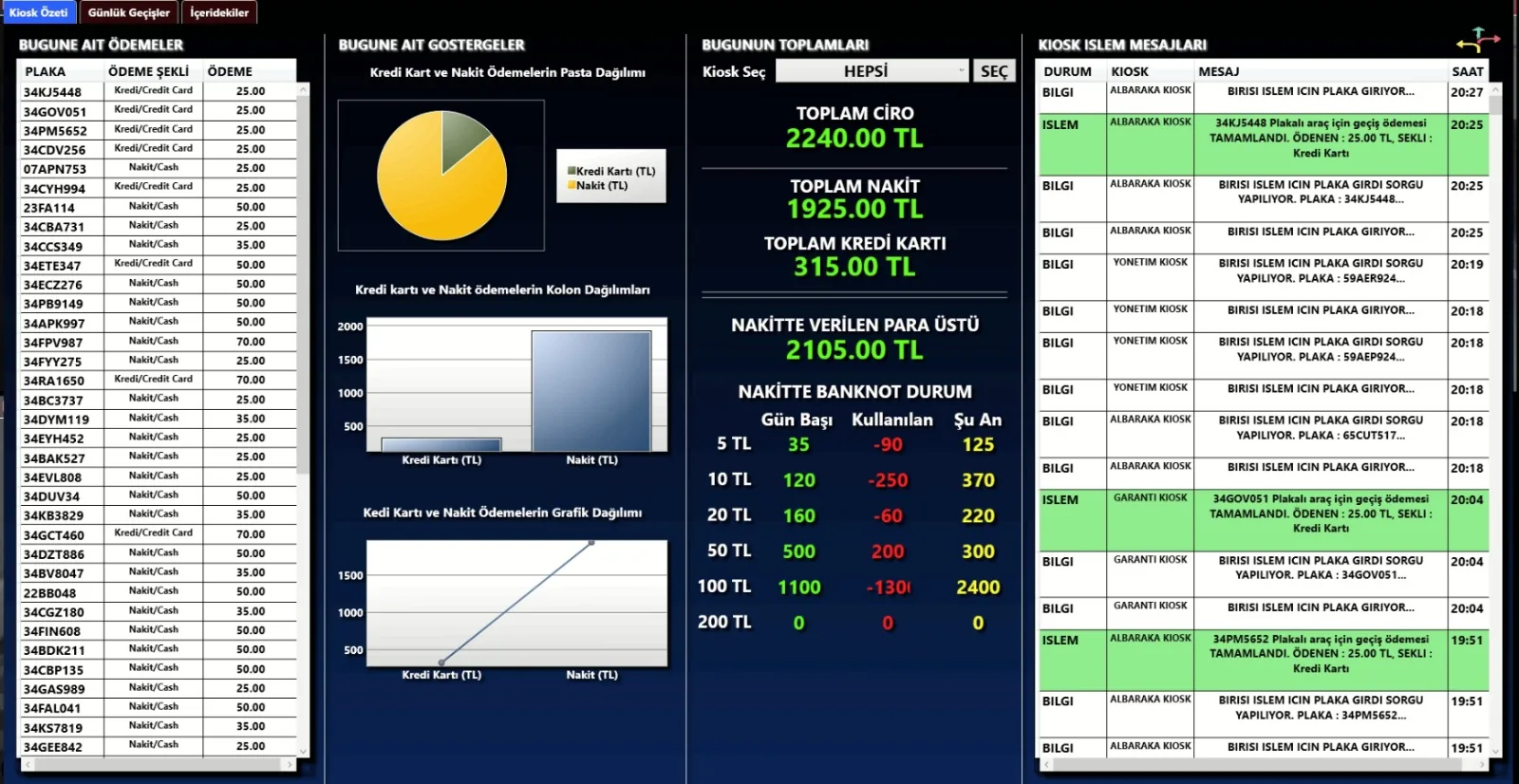
Direct answer: When a kiosk fails, the error appears on the live monitoring list in the panel and the manager is informed. If the car park also has an exit terminal, booth or handheld terminal, payment continues through those channels; a vehicle that cannot pay can be recorded as debt and charged on its next visit. Subscribers and vehicles that have already paid leave by plate, independent of the kiosk. That is why we recommend planning a backup channel at sites with a single payment point.
How is a fault noticed?
- Kiosk transactions and errors (plate not found, printer error, etc.) appear in a list refreshed every few seconds in the panel.
- The Kiosk Transactions report lists successful and failed transactions by date.
- If the site PC loses its connection, an optional email alert is sent to the manager.
- Camera connection status is tracked in the Camera Connection report.
What keeps working while the kiosk is down?
| Function | Status |
|---|---|
| Subscriber passage | Continues — whitelist on the camera |
| Exit of a paid vehicle | Continues — exit grant on site |
| Exit terminal, booth, handheld terminal | Keep taking payments |
| New payment at the kiosk | Stops — backup channel used |
| Vehicle unable to pay | Can be recorded as debt, or the barrier opened from the panel with a reason |
Setup tips that reduce the risk
- At least two channels instead of one: kiosk + exit terminal, or kiosk + handheld terminal.
- Placing the kiosk where it is protected from rain, direct sun and impact.
- Routine checks of receipt paper and consumables.
- Planning an uninterruptible power supply at critical points per project.
- Unmanned operation supported by nightly automatic refresh of the kiosk software and central error logging.
Is remote action possible?
An authorised user can open the barrier from the panel with a reason; these openings are tracked separately in the Barrier Openings report. The site software can be updated from the central panel. Hardware faults (screen, printer, POS) need an on-site service visit; the maintenance scope is stated in the quote.
Frequently asked questions
If the kiosk breaks, are vehicles stuck inside?
No. Subscribers and paid vehicles leave by plate; others pay through a backup channel or are recorded as debt.
How do I learn about a fault?
Kiosk errors appear on the live monitoring list in the panel; if the site PC loses its connection an optional email alert is sent.
Is one kiosk enough?
It can be for small car parks, but we recommend a second channel so collection continues during a fault.
What does a driver who cannot pay do?
The vehicle is recorded as debt, shown on screen at its next visit and charged together; a debt limit per plate can be set.
Can the barrier be opened remotely?
Yes. An authorised user opens it from the panel with a reason; the opening is logged.
Last updated: September 24, 2026 · Technical content: Gray Teknoloji project team
Get a free survey and quote →