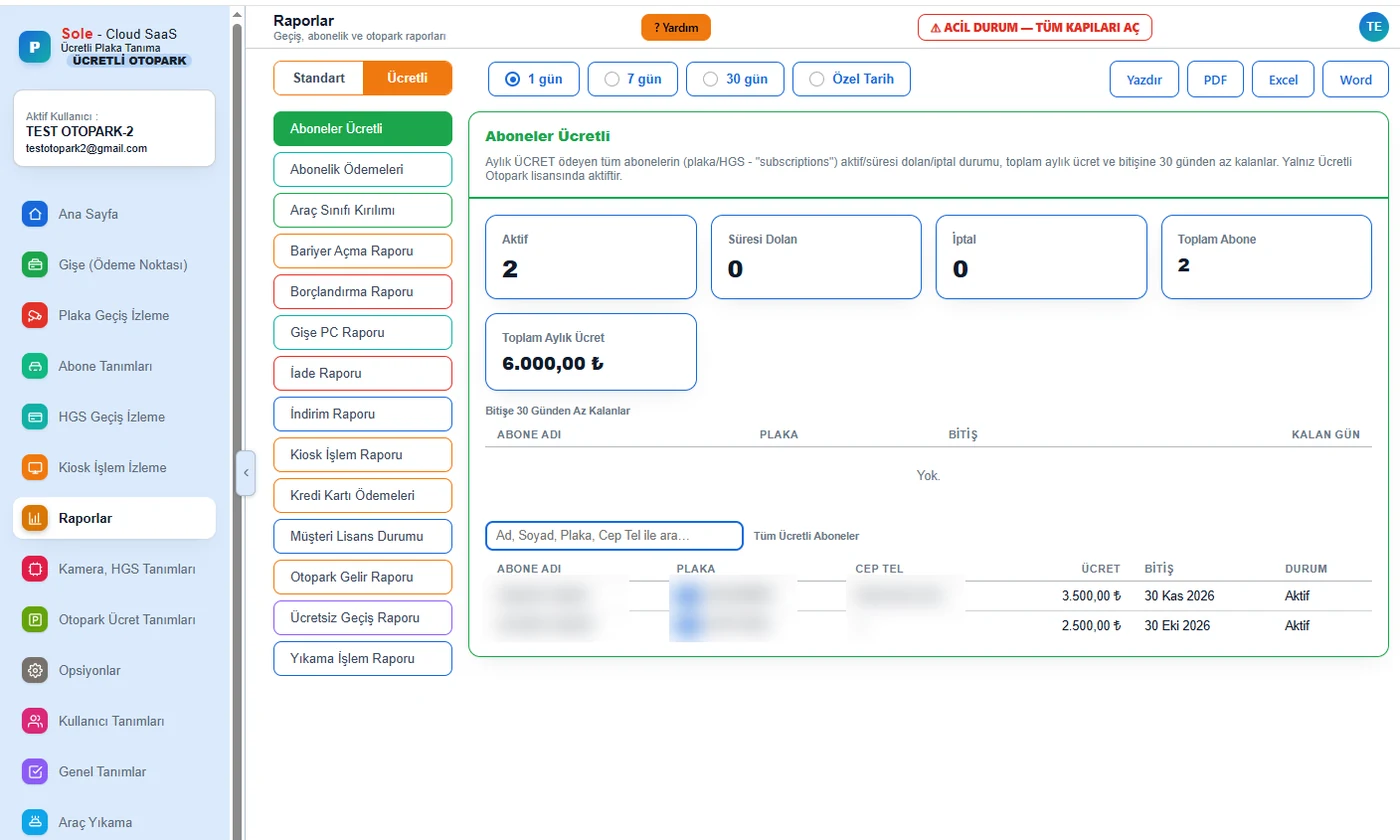
Direct answer: A parking reporting system is the software module that combines entry and exit records, collections and cash movements per parking session to show which channel, which vehicle class and which user each payment came from. The Sole software has 43 ready-made reports: 24 in every edition and 19 specific to paid parking. Reports can be printed, exported to PDF, Excel and Word, and scheduled by email.
Which reports are available?
| Group | Count | Reports |
|---|---|---|
| Finance and collection | 13 | Parking Revenue, Vehicle Class Breakdown, Paid Subscribers, Subscription Payments, Credit Card Payments, Debt, Refunds, Discounts, Free Passages, Barrier Openings, Booth PC, Offline Payments, POS Transaction Reconciliation |
| Kiosk, terminal and recovery | 6 | Kiosk Transactions, Exit Terminal, Handheld Terminal, Car Wash Transactions, Customer Licence Status, Payment Recovery |
| Passages | 8 | Summary, Detailed Plate Report (with photos), Plate Passages, HGS Passages, HGS Logs, Per-Gate Report, Hourly Distribution, Plate Corrections |
| Subscribers and occupancy | 8 | Subscribers, HGS Subscribers, Vehicle Quota, Flat Quota Breaches, Visitors, Occupancy, Car Park Quota, Average Parking Time |
| Security and system | 8 | Blacklist Alarms, Repeat Passage Report, Archived Photos, Camera Connection Report, Connection Outages, System Speed Measurements, System Logs, Email Delivery Report |
How is daily revenue tracked?
The dashboard shows today's passages and daily revenue; collections are split into cash, credit card and kiosk by amount and count. Vehicles inside, capacity and occupancy are shown on the same screen. For detailed breakdowns, the Parking Revenue and Vehicle Class Breakdown reports are used.
Cash desk and cashier control
- No collection is possible at the booth before a cash shift is opened; a numbered Z report is produced at closing.
- The Booth PC report gives a per-cashier breakdown.
- Discounts, free passages, refunds and cancellations require a reason and appear in separate reports.
- Barrier openings from the panel are listed with their reason in the Barrier Openings report; openings without a reason are flagged.
Filters and export
Reports are run for 1 day, 7 days, 30 days or a custom range, with plate, gate, device and result filters. Output is Print, PDF, Excel and Word; selected reports can be emailed at set intervals. Automatic transfer to accounting or ERP software is developed per project.
Multiple car parks
Each car park is defined as a separate facility and reports are run per facility. An authorised user accesses several car parks with one account and switches between them.
Frequently asked questions
How is parking revenue reported?
Collections are recorded matched to parking sessions and reported by day, week or custom range with the Parking Revenue, Vehicle Class Breakdown, Credit Card Payments and channel reports.
How many ready-made reports are there?
43: 24 in every edition and 19 specific to paid parking.
Which formats are available?
Print, PDF, Excel and Word. Selected reports can be scheduled by email.
Can I get reports per cashier?
Yes. The Booth PC report gives a per-cashier breakdown; a numbered Z report is produced when a shift closes.
How are unauthorised barrier openings tracked?
Every opening from the panel is written to the Barrier Openings report with its reason; openings without a reason are flagged. Discounts, free passages and refunds have their own reports.
Last updated: September 24, 2026 · Features: Sole LPR and paid parking software
Get a free survey and quote →