
Direct answer: The Unmanned Exit Payment Terminal is an Android-based touchscreen payment device mounted beside the barrier in the exit lane, at driver window height. When the vehicle reaches the lane, the exit camera reads the plate; the plate, parking time and amount appear on the terminal screen automatically, the driver pays by contactless card or QR code without leaving the car, and the barrier opens once payment is approved. The driver does not type the plate or walk to a kiosk.
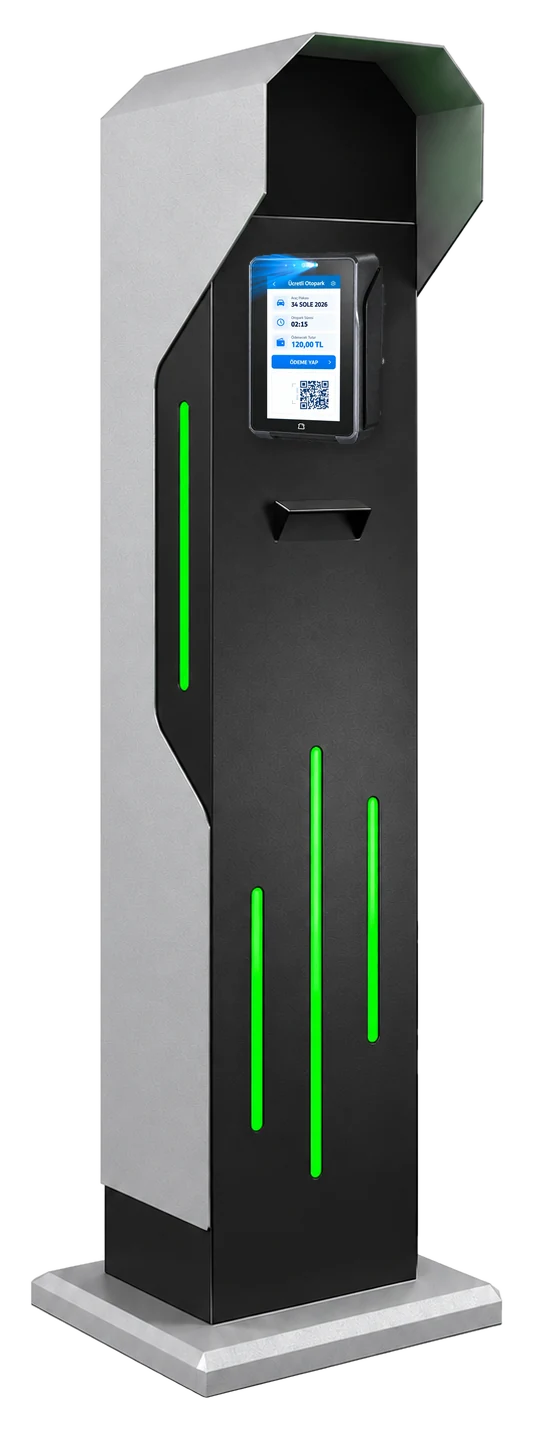
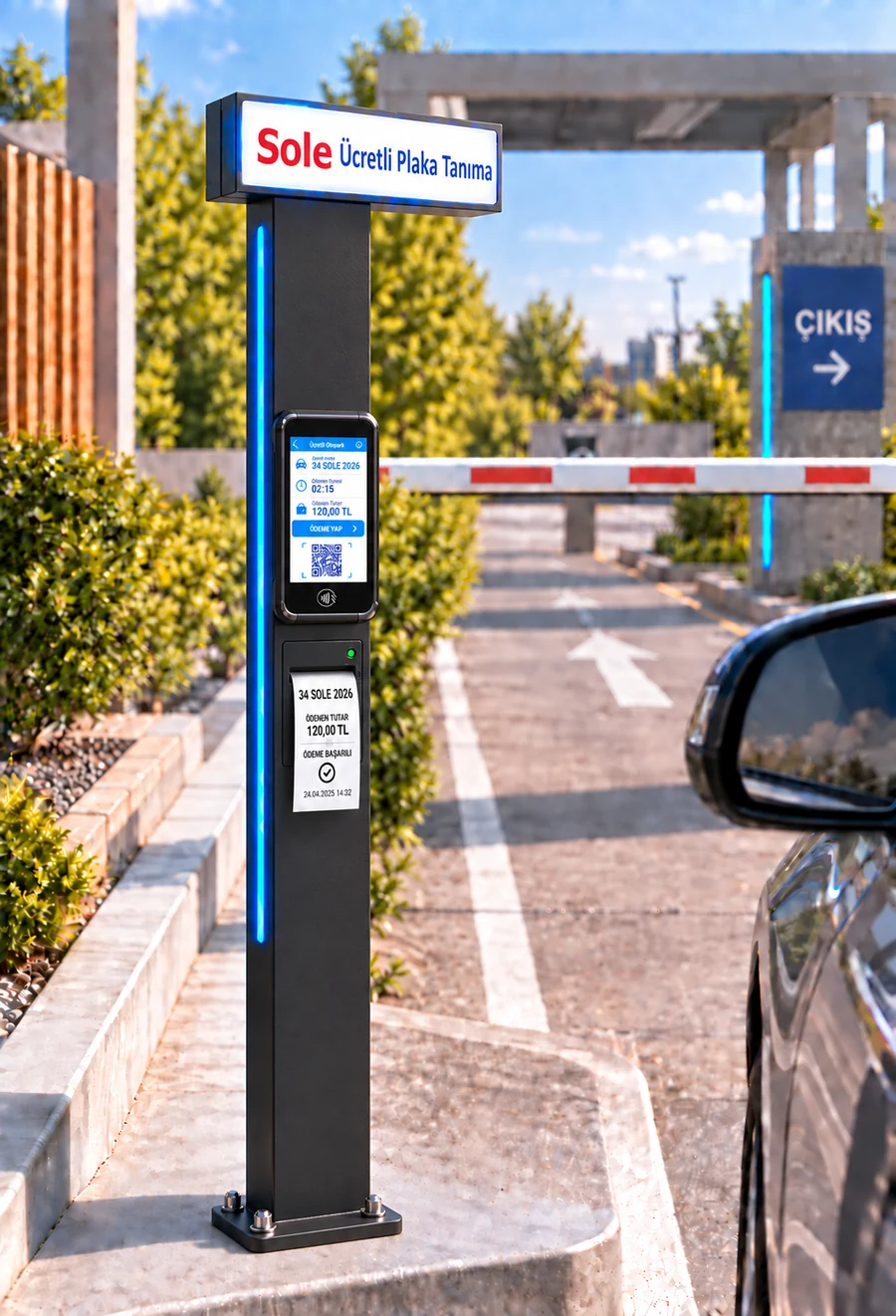
Paying at the Unmanned Exit Payment Terminal, step by step
- 1. The vehicle approaches the exit lane; the exit camera linked to the terminal reads the plate.
- 2. Plate, entry time, parking duration and amount appear on the terminal screen automatically.
- 3. For a subscriber or a zero-amount passage no payment step opens; the barrier opens directly.
- 4. For a paying vehicle the driver taps a card or scans the QR code with a phone; the amount is passed from the software to the POS.
- 5. The fiscal receipt is issued by the integrated fiscal POS device; payment approval creates the exit grant and the barrier opens.
- 6. The transaction is written to the Exit Terminal report with plate, photo, duration, amount and payment channel.
Kiosk or Unmanned Exit Payment Terminal?
| Topic | Payment kiosk | Unmanned Exit Payment Terminal |
|---|---|---|
| Location | Near the pedestrian exit | In the exit lane, beside the barrier |
| Driver | Leaves the car and walks to the kiosk | Stays in the car |
| Plate entry | Typed by the driver | Comes automatically from the exit camera |
| Payment | Contactless card, QR | Contactless card, QR |
| Cash | No | No |
| Peak hours | Paid in advance, so short queue at the barrier | Paid at the exit, so a queue can form in the lane |
| Best for | Multi-storey sites with several pedestrian exits | Small and mid-size car parks with a single exit |
Both channels can be installed together: at busy sites the kiosk takes payment before the exit, while the exit terminal lets drivers who skipped the kiosk pay in the lane. Details: pay by card at the exit, contactless parking payment.
Frequently asked questions
What is the Unmanned Exit Payment Terminal?
An Android-based payment device mounted beside the barrier in the exit lane. The exit camera reads the plate, the amount appears on screen automatically, the driver pays by card or QR without leaving the car and the barrier opens.
How is payment made by credit card?
When the amount is confirmed at the kiosk or exit terminal, the payment step opens and the amount is passed to the integrated POS device. The driver taps a credit or debit card; after approval a receipt is printed and an exit grant is created. Card payments are also taken at the booth and on handheld terminals.
Is contactless payment possible?
Yes. Kiosks and exit terminals take contactless credit and debit card payments. Because the amount is passed from the kiosk screen to the POS device, the driver does not enter an amount; they only tap the card.
Can parking be paid with a QR code?
Yes. At the kiosk and exit terminal a QR option is offered at the payment step; the QR code shown by the POS device is scanned with a phone to pay. When approved, the transaction is recorded like a card payment and an exit grant is created. Vehicles still enter by plate recognition.
Is cash accepted?
Kiosks and exit terminals do not accept cash. Cash is collected at the booth PC with change calculation or on the attendant's handheld terminal. Where cash demand is high we recommend a semi-unmanned model with the booth open at peak hours; all channels are reported in the same software.
Can an existing car park be automated later?
Yes. Entry and exit plate recognition cameras, a booth cabinet and a site PC are added to the existing lanes; suitable barriers are kept. A kiosk or exit terminal is installed as the payment point. When moving from a ticket system, subscriber plates are defined in the panel and the ticket machine is retired.
Last updated: 25 September 2026 · Sole paid parking payment points · Gray Teknoloji Sistemleri Ltd. Şti.
Get a Free Site Survey →