
Direct answer: The Sole Cloud SaaS LPR Software – Site Edition is cloud-based access control software for residential sites, apartments, factories and corporate facilities: it checks the plate read by the camera against subscriber and capacity rules, opens the barrier, records every passage with a photo and is managed from anywhere in a web browser. Even if the internet goes down, the access decision is made on site.
Standout features
The barrier works even offline
The subscriber list is sent into the camera; even if the internet or server is down, subscriber vehicles are recognized and the barrier opens.
No missed passages
When the connection returns, passages made during the outage are restored from the camera's memory card.
Blacklist alarm
When a blacklisted vehicle reaches the camera, a full-screen warning and siren appear and stay until the operator taps "Seen".
One-button emergency evacuation
"Emergency – Open All Gates" opens every barrier and warns separately about any gate the command could not reach.
Entry closes when full
When capacity is reached the entry barrier stays closed while the exit is always open; subscribers can be exempted and spaces reserved.
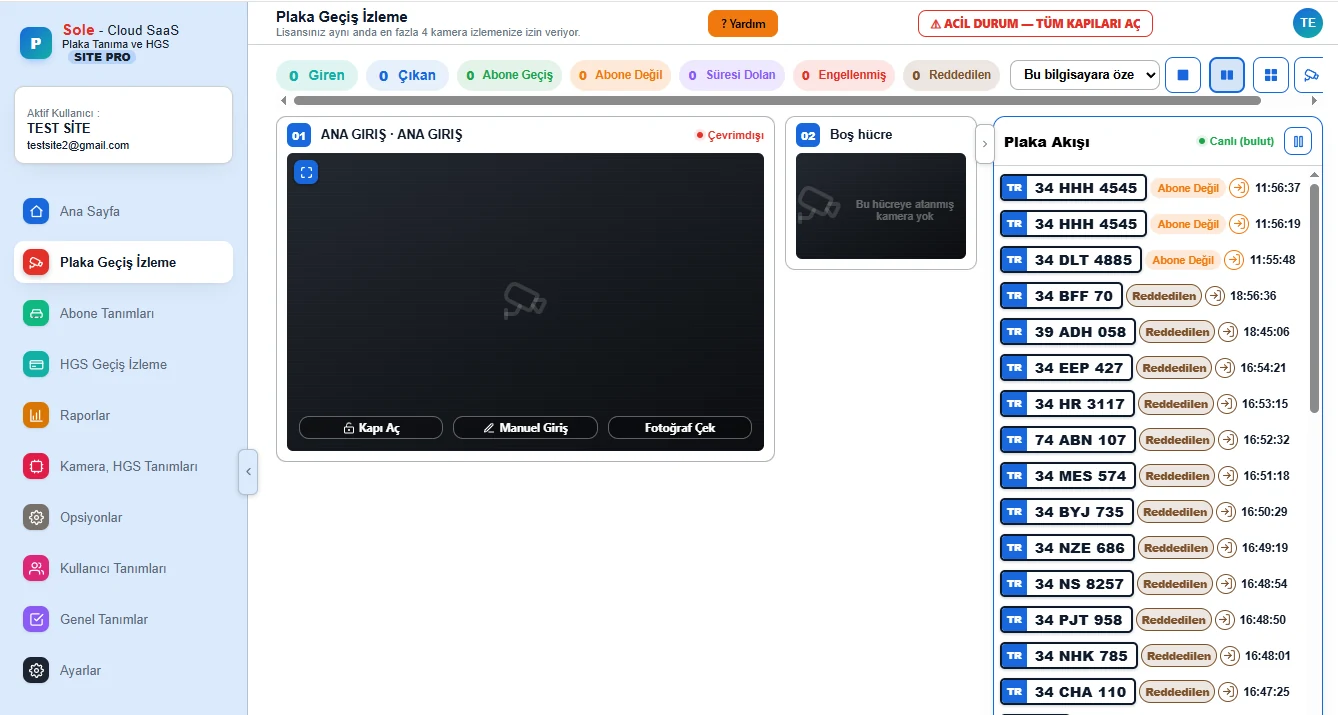
Live view and freeze warning
Live video from up to 8 cameras; if an image freezes the screen darkens and shows "VIDEO FROZEN".
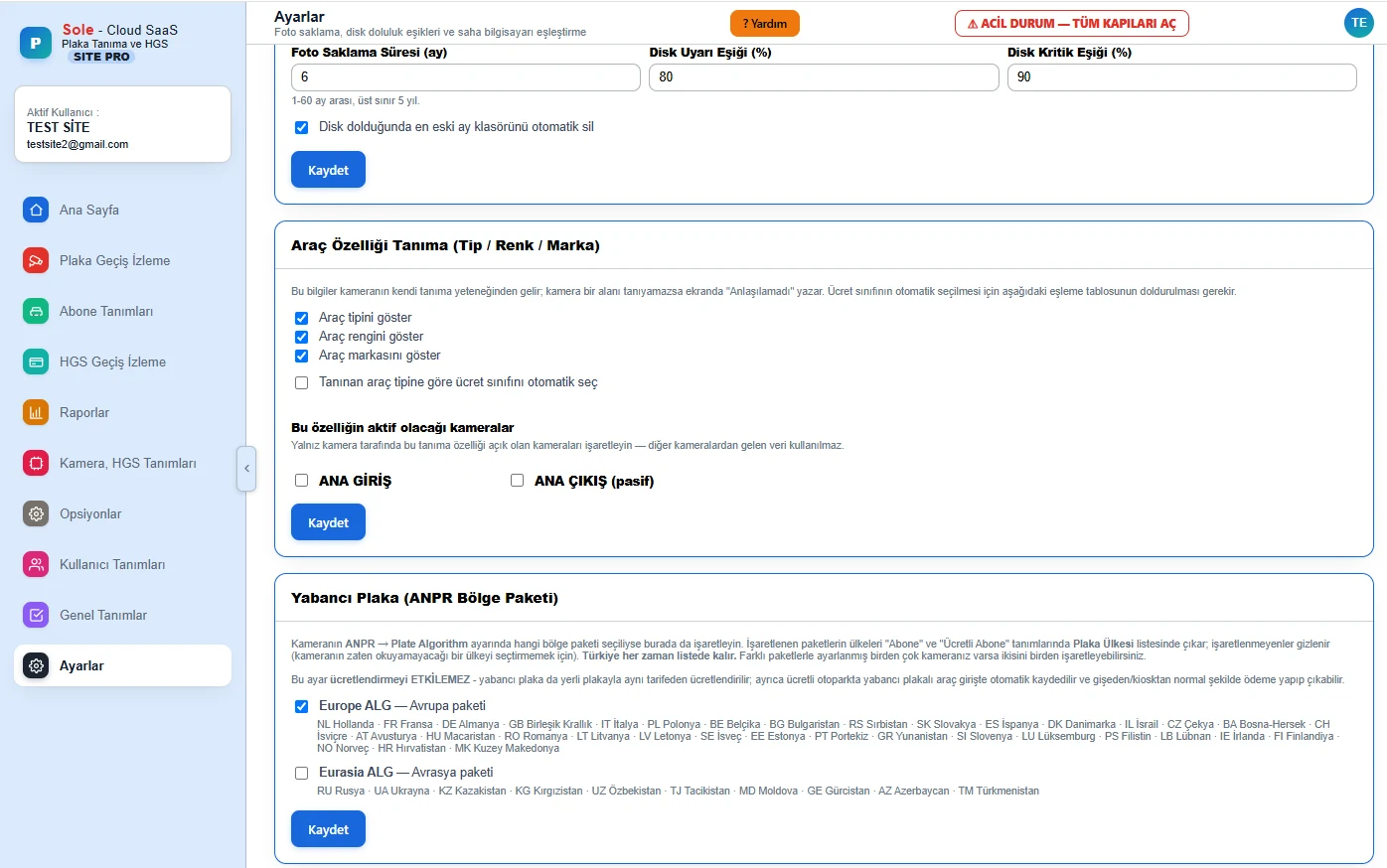
Vehicle type, colour and make
The camera recognizes type, colour and make; every passage is saved with a photo and plates from 45 countries are read.
One click for unpaid dues
"Block Plate" closes a vehicle's access without deleting the subscription and reopens it with one click.
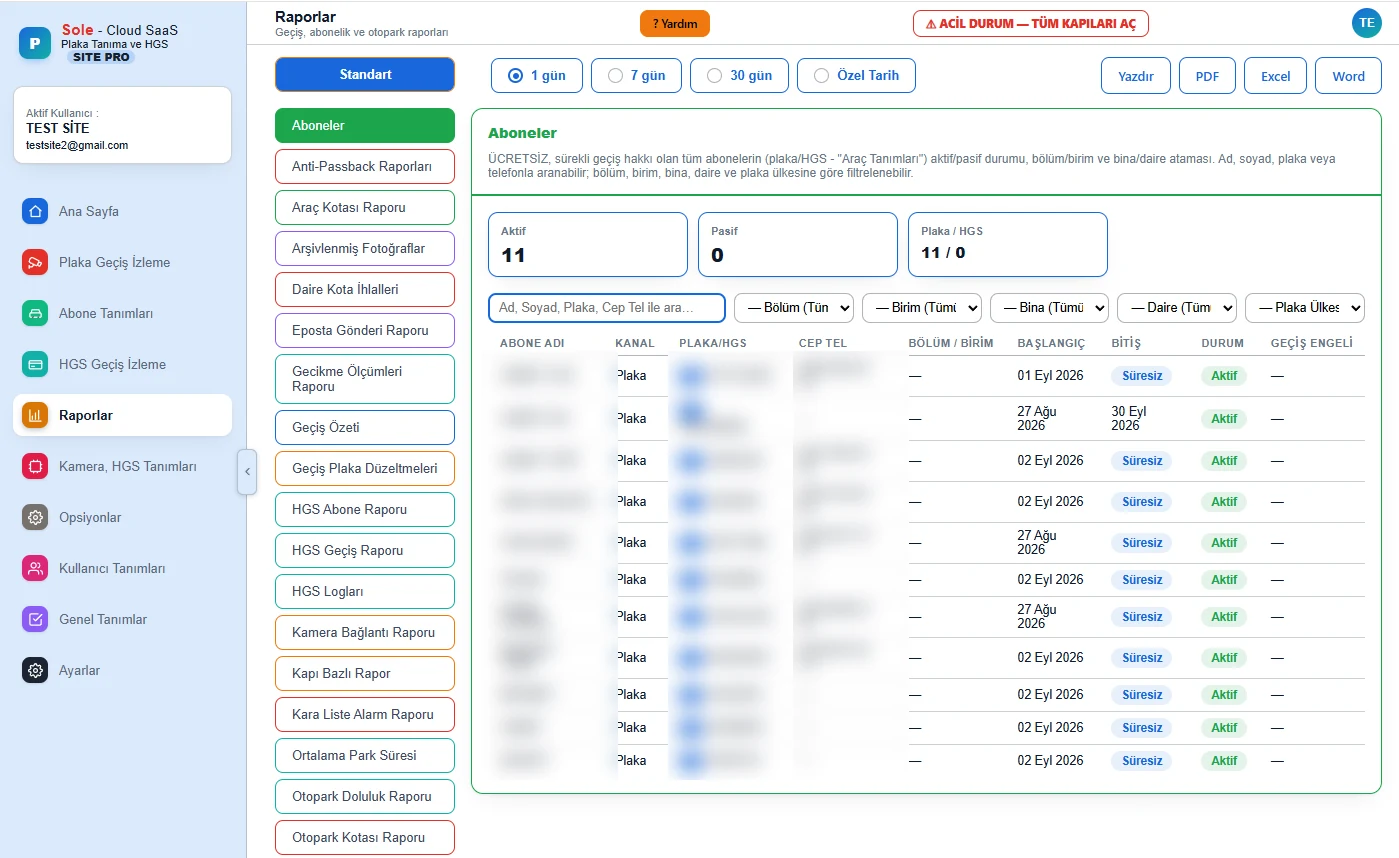
Flat and building vehicle quota
Vehicles inside are tracked per flat and building; limit breaches are flagged and reported.
Who did what, and when?
Menu permissions per user; every important action, including barrier openings, is logged with the person and time.
Every feature, menu by menu
Here is what can be done on each screen of the software's left menu:
Summary
| Access | Web browser — no software installed on the computer |
|---|---|
| On site | Site PC, LPR camera, barrier connection |
| Camera | SOLEsys Dahua PRO LPR camera (compatibility check for other brands before the project) |
| Live view | 1 / 2 / 4 / 6 / 8 cameras (per licence) |
| Plates | 45 countries including Turkey; vehicle type, colour and make |
| Reports | 27 ready reports; Print, PDF, Excel, Word |
| Internet outage | Access continues on site, records are completed later |
| Panel language | Turkish, English |
Where is it used?
It is used for subscriber and permission-controlled vehicle access at residential site and apartment managements, residences, factories and logistics facilities, corporate campuses and public institutions. See our residential site LPR system and factory LPR system pages for field solutions.
Frequently asked questions
Does the system work if the internet goes down?
Yes. The access decision is made on site; because the subscriber list is sent into the camera, subscriber vehicles are recognized and the barrier opens even if the internet or server is down. When the connection returns, passages from the outage are restored from the camera's memory card.
How do I stop the car of a flat with unpaid dues?
On the Subscribers screen, "Block Plate" closes the vehicle's access without deleting the subscription; one click reopens it once the debt is paid.
Do I have to enter subscribers one by one?
No. A ready Excel template is filled in and uploaded in bulk, including name, plate, phone, building, flat, department and unit.
What happens when the car park is full?
The car park capacity is defined; with quota enforcement on, the entry barrier stays closed when the car park is full while the exit is always open. Subscribers can be exempted and spaces reserved for them.
Is this edition suitable for paid car parks?
If you charge per vehicle, choose the Paid Parking LPR Software with booth, tariff and cash desk features; it includes every site edition feature too.
To see all license plate recognition system types, camera specifications, accuracy conditions and cost logic on one page, read our license plate recognition system guide.
Last updated: September 11, 2026 · Features: Sole LPR software (site edition)
Request a free survey and demo →